
Download Radiotic – Free Online Radio Browser for Firefox
Overview
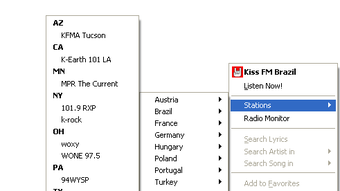
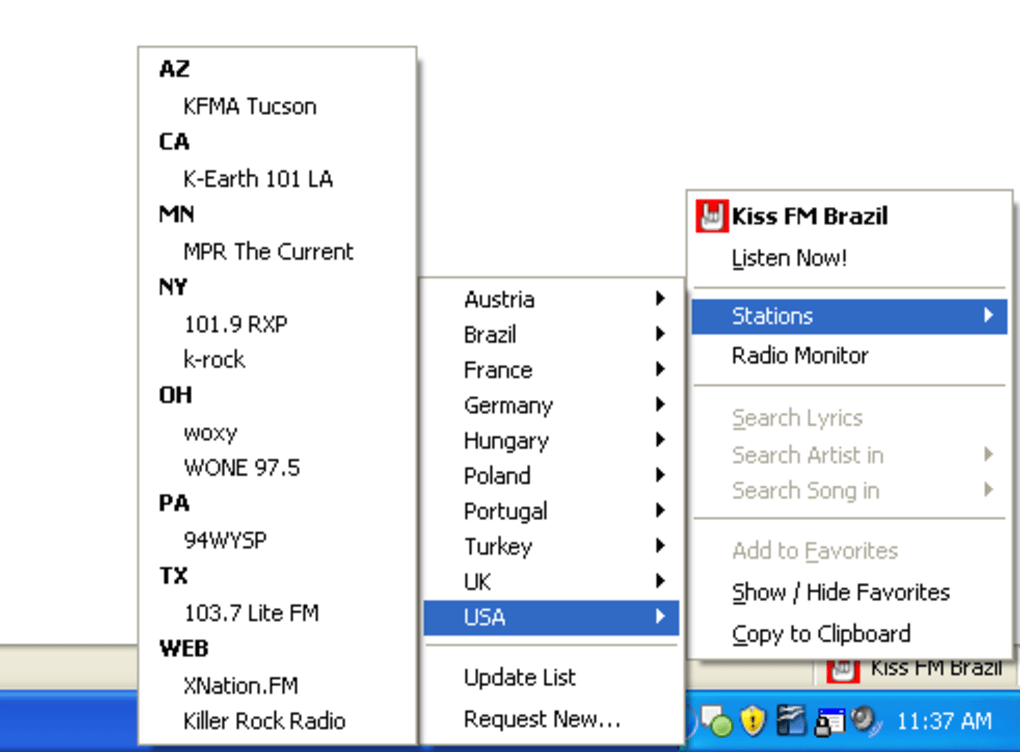
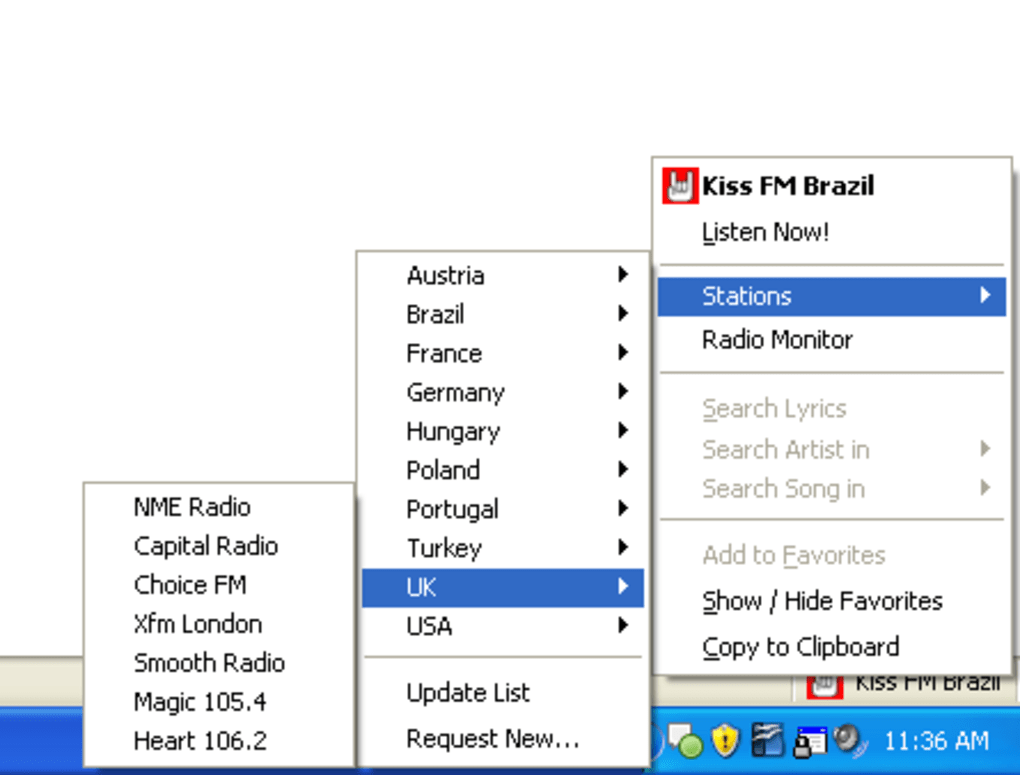
Radiotic is a lightweight Firefox add‑on that brings a curated selection of internet radio stations straight into your browser window. Designed with a clean, minimalist interface, Radiotic lets you browse, select, and listen to free online radio without the need for external players or separate tabs. The add‑on lives in the bottom toolbar, where a right‑click opens a compact menu to explore stations, view current track information (when available), and launch the optional Radio Monitor window.
While still in early development, Radiotic offers a promising way to keep the music flowing while you surf, work, or study. Its core strength lies in the simplicity of access—one click, one list, and the world’s radio streams at your fingertips. However, the tool does face limitations: not every station streams correctly, some lack song metadata, and a few streams still require an external player like Windows Media Player.
Despite these hiccups, Radiotic’s roadmap suggests continuous improvements, making it a solid starting point for anyone who wants a seamless radio experience directly inside Firefox.
Key Features & Installation Guide
Feature List
- Integrated browser toolbar icon for instant access.
- Curated catalog of free internet radio stations across genres.
- Right‑click menu for quick station selection and playback control.
- Track metadata display when the station provides song information.
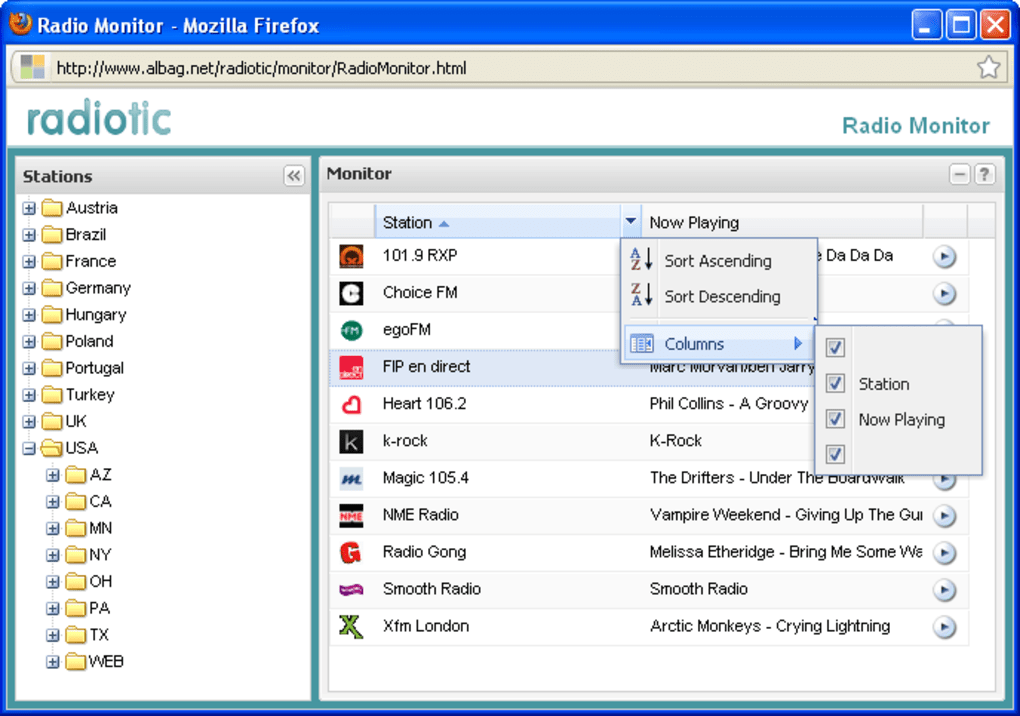
- Radio Monitor window to preview currently playing tracks across stations.
- Automatic detection of stream format with fallback to external player when needed.
- Lightweight footprint – no heavy background processes.
- Regular updates from the developer to expand station list and fix bugs.
Installation & Usage Instructions
Installing Radiotic is straightforward. Open Firefox, navigate to the official Mozilla Add‑ons page, and search for “Radiotic”. Click the “Add to Firefox” button, confirm the permissions, and the add‑on will appear in your bottom toolbar.
Once installed, right‑click the Radiotic icon to reveal the station menu. Scroll through categories, click a station name, and the stream starts playing instantly. If the station supports metadata, the track title, artist, and album will appear beneath the station name.
For a broader view, select “Open Radio Monitor” from the menu; a separate window opens, showing a live list of songs playing across all available stations, helping you discover new tracks before committing to a stream. Should a station require an external player, Radiotic will prompt you to open the link in your default media player—this is currently limited to Windows Media Player, but future updates aim to add VLC and other options. Adjust volume directly from the Firefox built‑in controls or use your system’s mixer.
To remove Radiotic, go to “Add‑ons Manager”, locate Radiotic, and click “Remove”. The entire process, from download to first playback, typically takes under two minutes on a standard broadband connection.
Compatibility, Pros & Cons
Operating System Compatibility
Radiotic is built specifically for the Firefox browser, which runs on Windows, macOS, Linux, and Android (via Firefox for Android). As long as you have a supported version of Firefox (version 78 or newer), Radiotic will function. The add‑on does not require any additional software installations on desktop platforms, though certain streams may still fall back to external players like Windows Media Player on Windows machines. Mobile users can install the add‑on through the Firefox Add‑ons menu on Android; however, the Radio Monitor window is only available on desktop environments due to popup restrictions on mobile browsers.
Pros
- Seamless integration within Firefox—no need to switch tabs or apps.
- Free to download and use, with no hidden subscription fees.
- Clean UI that stays out of the way while you browse other sites.
- Radio Monitor offers a unique preview of currently playing songs.
- Lightweight design ensures minimal impact on browser performance.
Cons
- Not all stations stream correctly; some require external players.
- Track metadata is unavailable for many stations.
- Limited player options—currently defaults to Windows Media Player on Windows.
- Radio Monitor window is not available on mobile Firefox.
- Early‑stage development means occasional bugs and UI quirks.
Frequently Asked Questions
Is Radiotic completely free to use?
Yes, Radiotic is a free Firefox add‑on. There are no subscription fees, hidden costs, or in‑app purchases. All features, including the Radio Monitor, are available at no charge.
Can I use Radiotic on macOS?
Absolutely. As long as you run Firefox on macOS (any recent version), Radiotic works the same as on Windows or Linux. The add‑on relies on the browser rather than the underlying operating system.
What should I do if a station doesn’t play?
If a station fails to stream, Radiotic will display a prompt suggesting you open the link in your default media player. This occurs when the stream format isn’t natively supported by Firefox. You can also try selecting a different station or checking the developer’s update notes for known issues.
Does Radiotic support playlists or custom station lists?
Currently, Radiotic provides a built‑in catalog curated by the developers. Users cannot import personal playlists or custom station URLs directly through the UI, though you can add stations manually by editing the add‑on’s configuration file (advanced users only).
Will Radiotic receive regular updates?
Yes. The development team has indicated that Radiotic is in early stages, and they plan to release updates that expand the station list, improve metadata support, and add alternative media player options like VLC.
Conclusion & Call to Action
Radiotic delivers a fresh, browser‑centric way to enjoy online radio without juggling multiple tabs or external applications. Its straightforward interface, free price tag, and the innovative Radio Monitor make it a compelling choice for casual listeners and power users alike. While the add‑on still grapples with occasional stream compatibility issues and limited metadata, the roadmap promises enhancements that could soon elevate Radiotic to a top‑tier internet radio solution.
If you value a tidy, always‑ready radio player embedded directly in Firefox, give Radiotic a try today. Download the add‑on, explore the station catalog, and enjoy uninterrupted music while you browse. As the developers continue to refine the experience, your feedback will help shape the future of this promising tool.
Ready to tune in? Download Radiotic now and start streaming your favorite stations instantly.







